
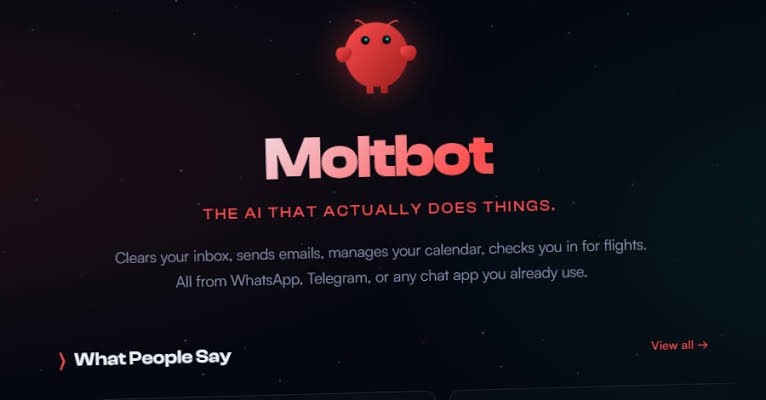

A popular open-source project that lets users run personal AI assistants locally has become the center of a growing security controversy, after researchers uncovered exposed instances, weak default configurations and a malicious Visual Studio Code extension that quietly handed attackers remote access to developers’ machines.
A Tool Built for Convenience, Exposed at Scale
Moltb ot — formerly known as Clawdbot — has surged in popularity in recent months, drawing tens of thousands of developers with the promise of a locally run artificial intelligence assistant that can communicate across platforms like WhatsApp, Telegram, Slack and Discord. The project, created by Austrian developer Peter Steinberger, has crossed more than 85,000 stars on GitHub, reflecting intense interest in self-hosted alternatives to cloud-based AI tools.
That rapid adoption has also drawn scrutiny. Security researchers say they have identified hundreds of Moltbot instances accessible on the open internet without authentication, exposing configuration files, API keys, OAuth credentials and conversation histories from private chats. In some cases, these instances revealed sensitive integrations tied to messaging platforms and other services, effectively laying bare the digital keys that allow the agent to act on a user’s behalf.
Certified Cyber Crime Investigator Course Launched by Centre for Police Technology
Intruder, a cybersecurity firm, said in a separate analysis that it had observed widespread misconfigurations across similar AI agent deployments in multiple cloud environments. Those missteps, the firm warned, routinely led to credential exposure, prompt-injection vulnerabilities and compromised systems. The issue, researchers said, is not limited to one project but reflects how quickly AI agents are being deployed without security controls keeping pace.
Architectural Choices and the Question of “Agency”
At the heart of the concern is how much authority these agents are given by default. Moltbot agents are designed to send messages, execute tools and run commands across a range of platforms — a level of “agency” that amplifies the impact of any compromise.
“The core issue is architectural,” said Benjamin Marr, a security engineer at Intruder. In a statement, he said systems like Clawdbot had prioritized ease of deployment over secure-by-default configurations. Non-technical users, he noted, could spin up instances and connect sensitive services without encountering enforced firewall rules, credential validation or sandboxing for third-party plugins.
Jamieson O’Reilly, a security researcher and founder of Dvuln, echoed those concerns after discovering unauthenticated Moltbot instances online. In his assessment, the ability of agents to act autonomously across messaging platforms creates a risk that goes beyond data leaks. A successful attacker could impersonate an operator to their contacts, inject messages into ongoing conversations or quietly siphon sensitive data — all without the user’s awareness.
More critically, O’Reilly warned, the same mechanisms that make Moltbot extensible could be abused to distribute backdoored “skills” through MoltHub, the project’s plugin repository formerly known as ClawdHub. Such a vector, he said, opens the door to supply-chain attacks that spread malicious code to otherwise legitimate installations.
A Malicious Extension on the Official Marketplace
Those risks moved from theoretical to concrete late last month, when researchers flagged a malicious Visual Studio Code extension posing as an official Moltbot tool. The extension, titled “ClawdBot Agent – AI Coding Assistant” and published under the identifier “clawdbot.clawdbot-agent,” appeared on Microsoft’s official Extension Marketplace on January 27, 2026. It was later removed by Microsoft.
According to analyses by security firms including Aikido, the extension claimed to be a free AI coding assistant but instead dropped a hidden payload on systems where it was installed. Each time Visual Studio Code launched, the extension automatically executed, retrieving a configuration file named “config.json” from an external server and using it to run a binary called “Code.exe.”
That binary deployed a legitimate remote desktop tool, ConnectWise ScreenConnect, and connected it to an attacker-controlled server, granting persistent remote access to the compromised machine. Researchers said the attackers had set up their own ScreenConnect relay infrastructure and distributed a pre-configured client through the extension, allowing infected systems to “phone home” immediately after installation.
Persistence, Redundancy and the Aftermath
The extension did not rely on a single delivery method. Investigators found multiple fallback mechanisms designed to ensure the payload reached victims even if parts of the infrastructure were disrupted. One approach involved retrieving a Rust-based DLL, “DWrite.dll,” listed in the same configuration file and sideloading it to pull the payload from Dropbox. Another method embedded hard-coded URLs, while a separate batch script fetched components from an alternate domain.
“This wasn’t a one-shot loader,” said Charlie Eriksen, an Aikido researcher. “It was engineered for resilience.” The layered design, he said, suggested a deliberate effort to maintain access even if command-and-control servers were blocked or taken offline.
Security researchers emphasized that Moltbot itself does not have an official Visual Studio Code extension, a fact that attackers appear to have exploited by capitalizing on the project’s rising profile. By adopting a familiar name and positioning the extension as an official companion, the operators were able to trick unsuspecting developers into installing it from a trusted marketplace.
In response to the broader findings, security firms have urged users running Moltbot or similar tools with default configurations to audit their setups, revoke connected integrations, rotate exposed credentials and implement network controls. Monitoring for signs of compromise, they said, is now essential for any deployment that grants AI agents the authority to act across multiple services.